For teachers
How to teach in the lesson room
The room brings together lesson content, homework, and teaching tools. Opening the room and joining its call are separate actions.
On this page
How to do it
Open a prepared class
In Classes, open an individual or group class and choose the room entry action. You can prepare the material before the student arrives.
Check the current lesson
Use “Change unit” to choose different content. Lesson sections are on the right, and the selected section’s exercises appear in the centre.
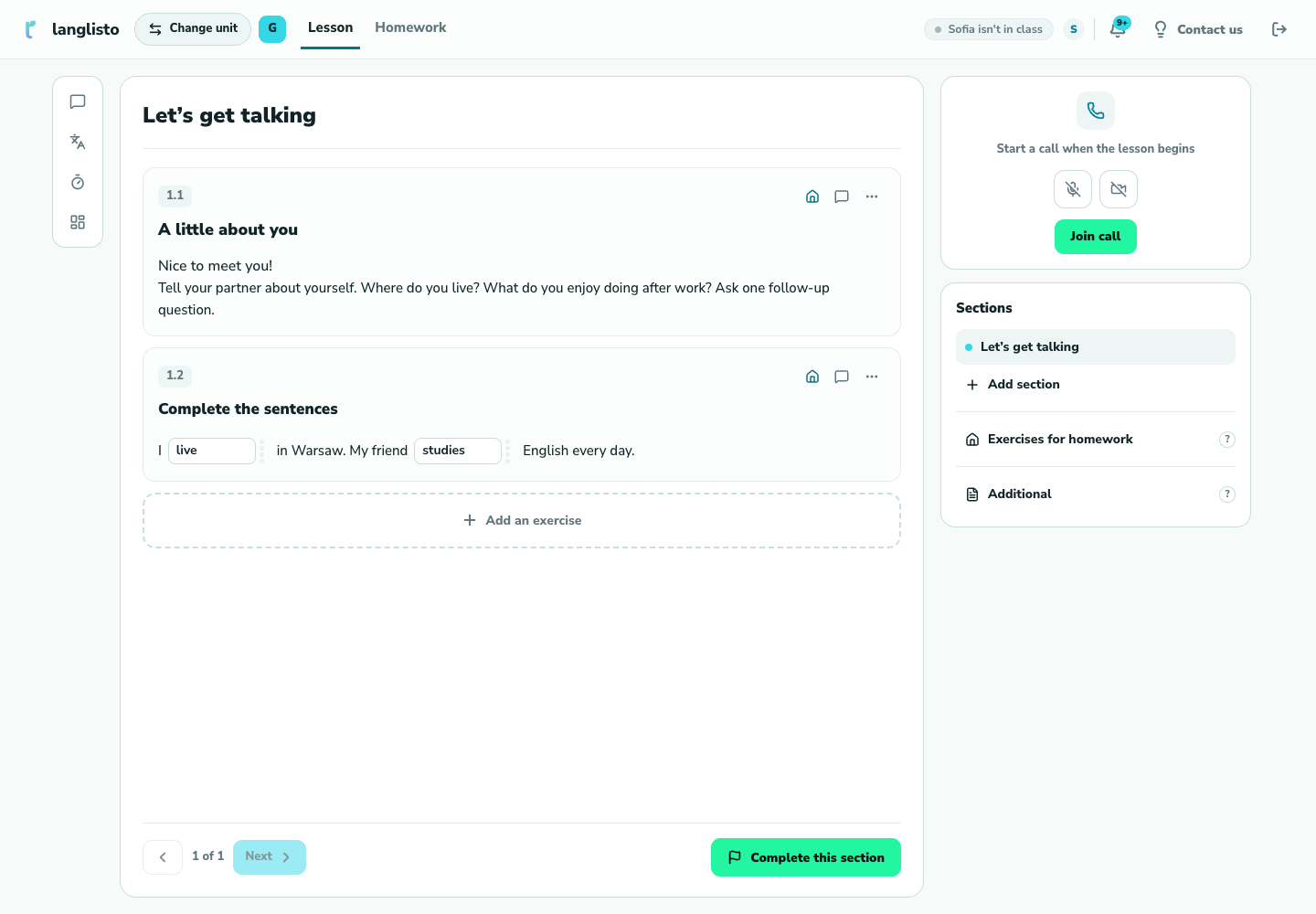
2. Check the current lesson Join the call
When you are ready, check microphone and camera access and join the call. The student also needs to open the class and connect on their side.
Follow your lesson plan
Open sections and exercises as you teach. Switch to “Homework” to set independent work. Before finishing, make sure the student knows what to do next.
Good to know
Troubleshooting
The student is not in the room
Check which account and class they opened. A class invitation does not automatically connect someone to the call.