For teachers
How to create a marathon
A marathon is a class where students work through lessons on their own and lessons release on a schedule you set. This article covers creating a marathon, filling it with lessons and choosing the basic study mode.
On this page
How to do it
Create a class of the “Marathon” kind
On the Classes page click “New class”. In the kind picker choose the “Marathon” card — “A self-paced marathon: lessons release on a schedule you set.” Enter a name, optionally upload a cover, pick the language and a folder. In a school where you may assign teachers, choose who leads the class. After creation the marathon page opens.
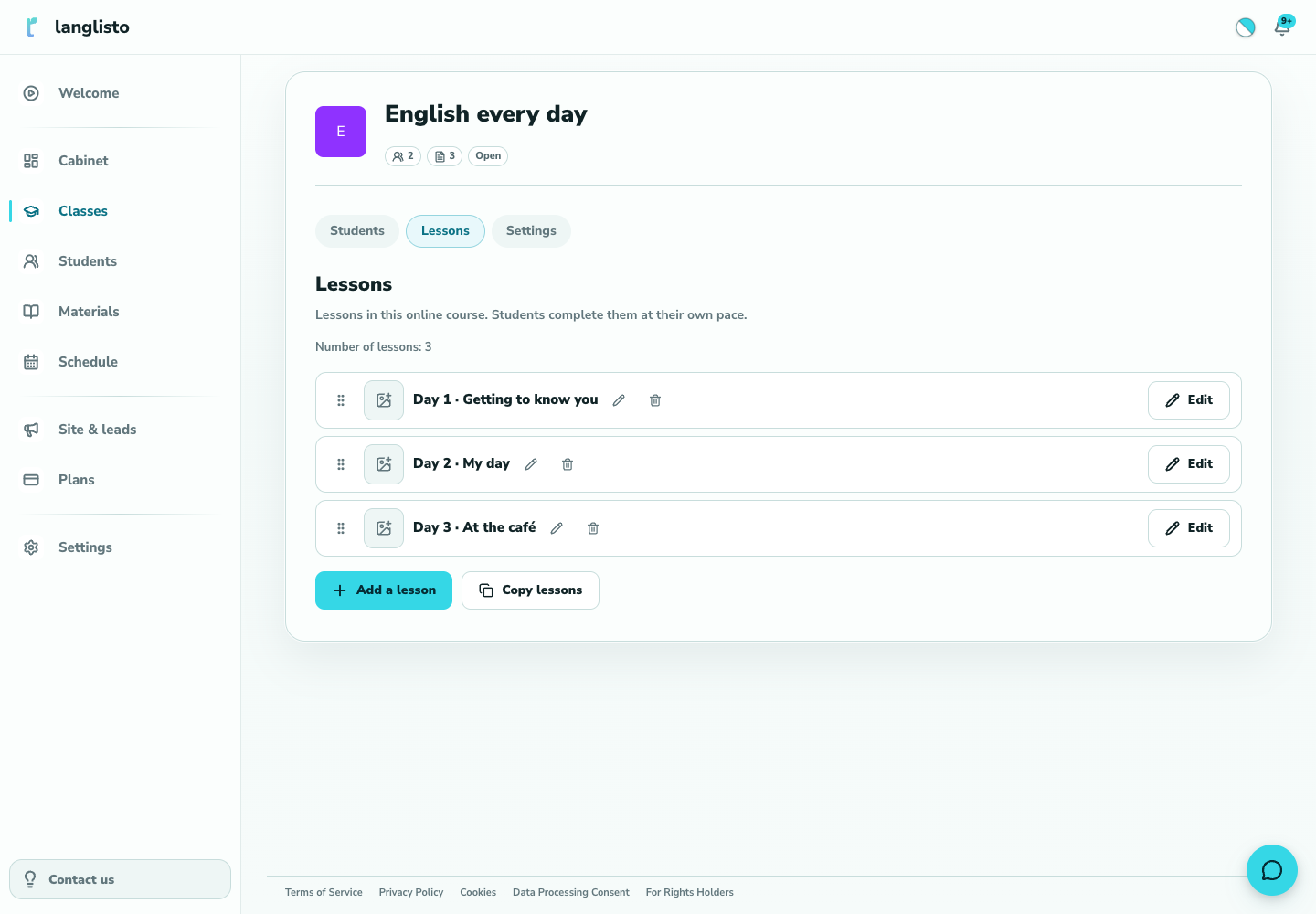
1. Create a class of the “Marathon” kind Get to know the marathon page
At the top are the cover and the name; the cover can be changed right here and saves immediately. Below are the tabs “Students”, “Lessons” and “Settings”; a “Statistics” tab appears only when “Leaderboard” is enabled in course settings. A marathon has no “Overview” tab with a live learning room.
Add lessons
On the “Lessons” tab click “Add a lesson” and choose how: “Choose from personal materials” (then “Select lessons to copy”) or “Create a new lesson”. Lessons are copied into the marathon: students see the marathon's own lessons, not your materials library. If “Sections” is enabled in settings, an “Add a section” button appears.
Set the study mode
Open “Settings” → “Course settings”, tab “Passage”. In “Study mode” choose “Open”, “By intervals”, “Upon completion”, “After sending for review”, “After the teacher's review”, “Closed” or “By days of the week”. A hint under the field explains each mode. Click “Save”.
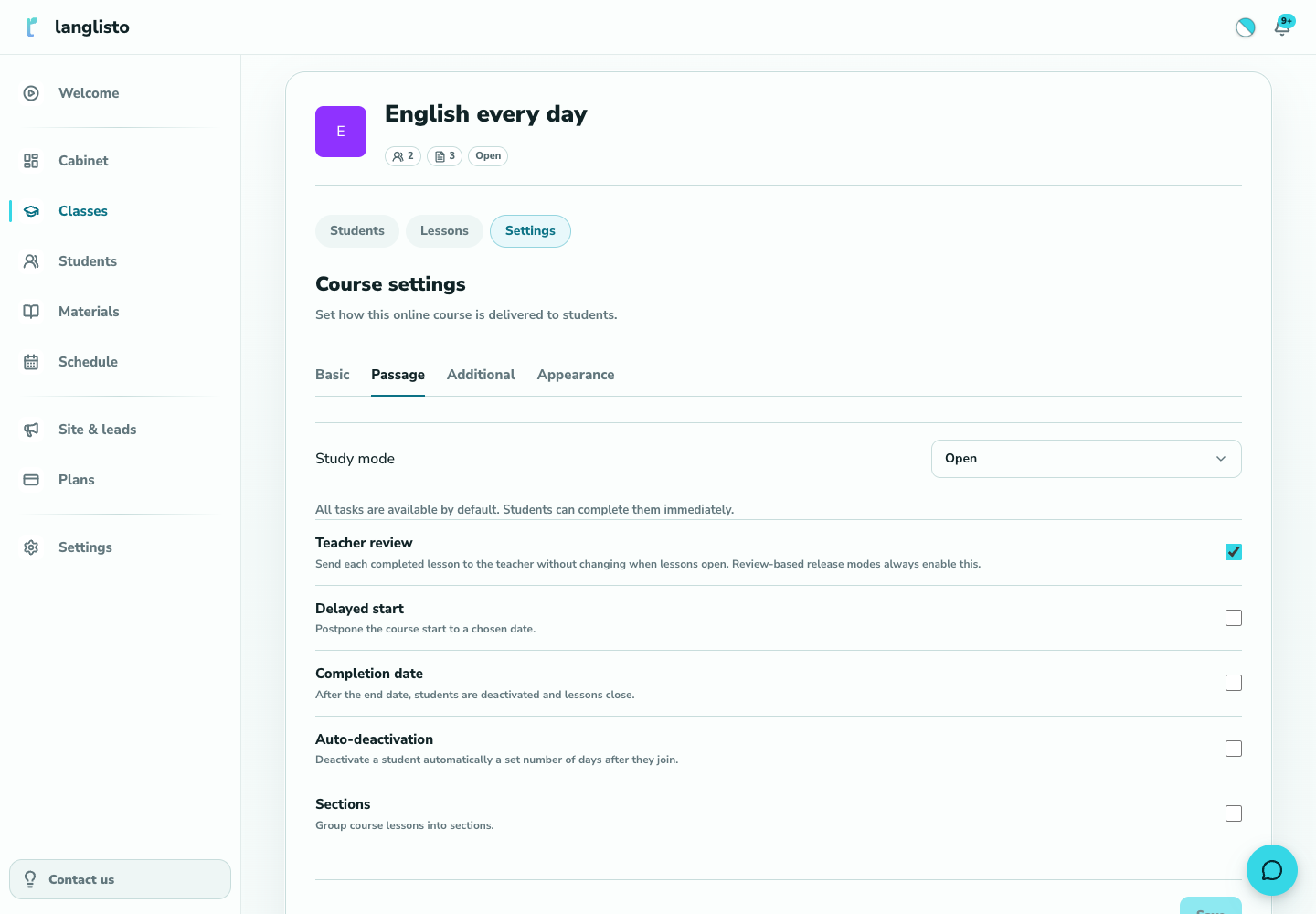
4. Set the study mode Invite students
Go to the “Students” tab and add participants. Details are in the article “Student access to a marathon”.
Good to know
Troubleshooting
The marathon has no “Overview” tab or learning room — is that a bug?
No. Students work through a marathon on their own, so the page opens on the “Students” tab and no live room is needed.
A student opened the marathon from Classes and did not see the tabbed page
That is by design: a student opens a marathon in a lesson-picker popup. The page with the “Lessons”, “Students” and “Settings” tabs is for the teacher only.