For teachers
How to assign and review homework
Homework belongs to a lesson. You choose exercises, the student submits the work, and you review it.
On this page
How to do it
Open homework for the right lesson
In the class room, choose the lesson and open “Homework”. Make sure the selected lesson is the one you intend.
Add exercises
Choose “Choose exercise(s)”, select the tasks, and confirm. The picker also lets you browse other materials. Use “Create exercise” for a new task.
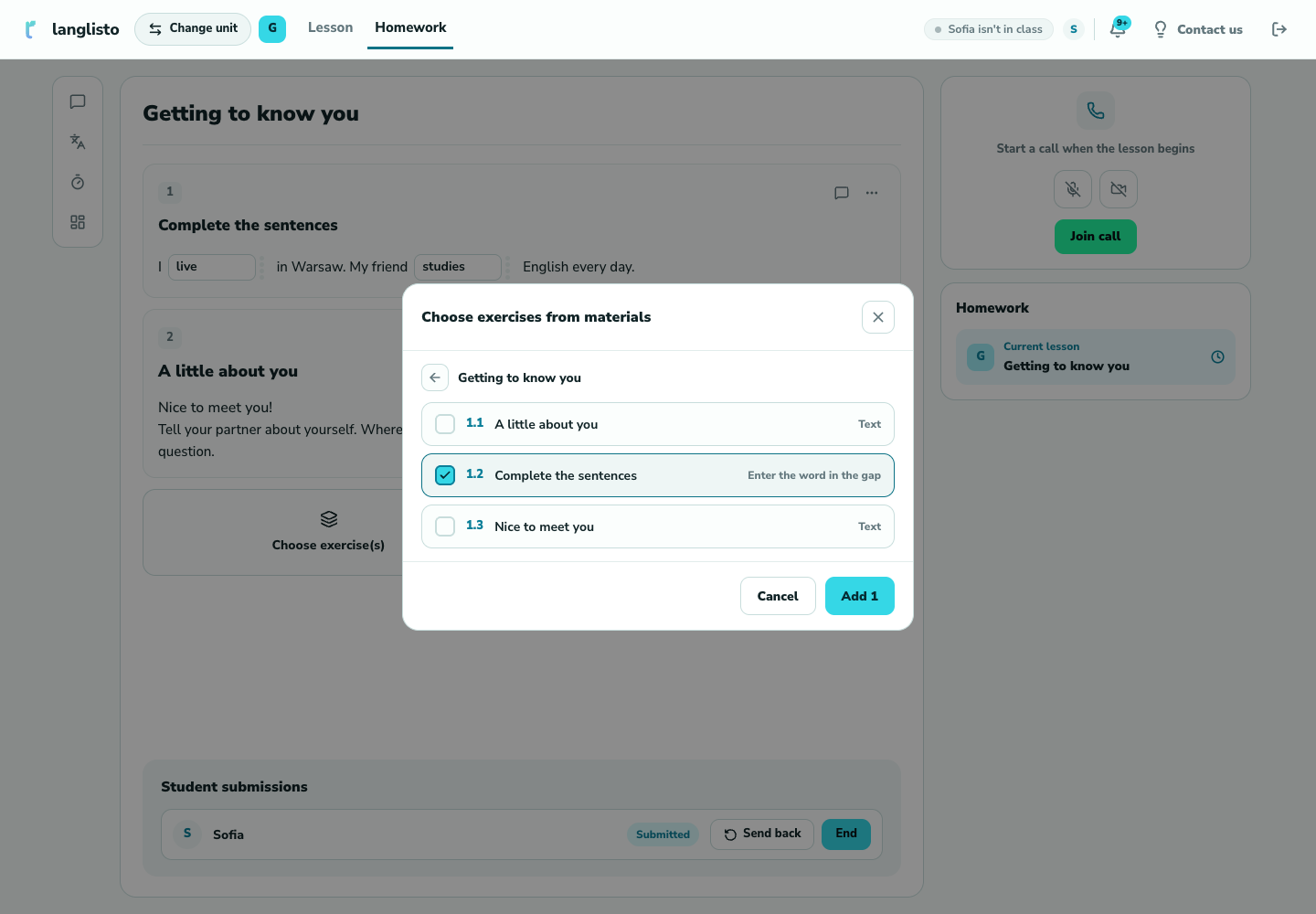
2. Add exercises Wait for the submission
The student completes the exercises and clicks “Submit”. “Student submissions” shows who has not submitted, whose work is ready, and who needs to make corrections.
Review and respond
Choose the student and inspect their answers. Use “End” to accept the work, or “Send back” with a comment. The student can correct it and submit again.
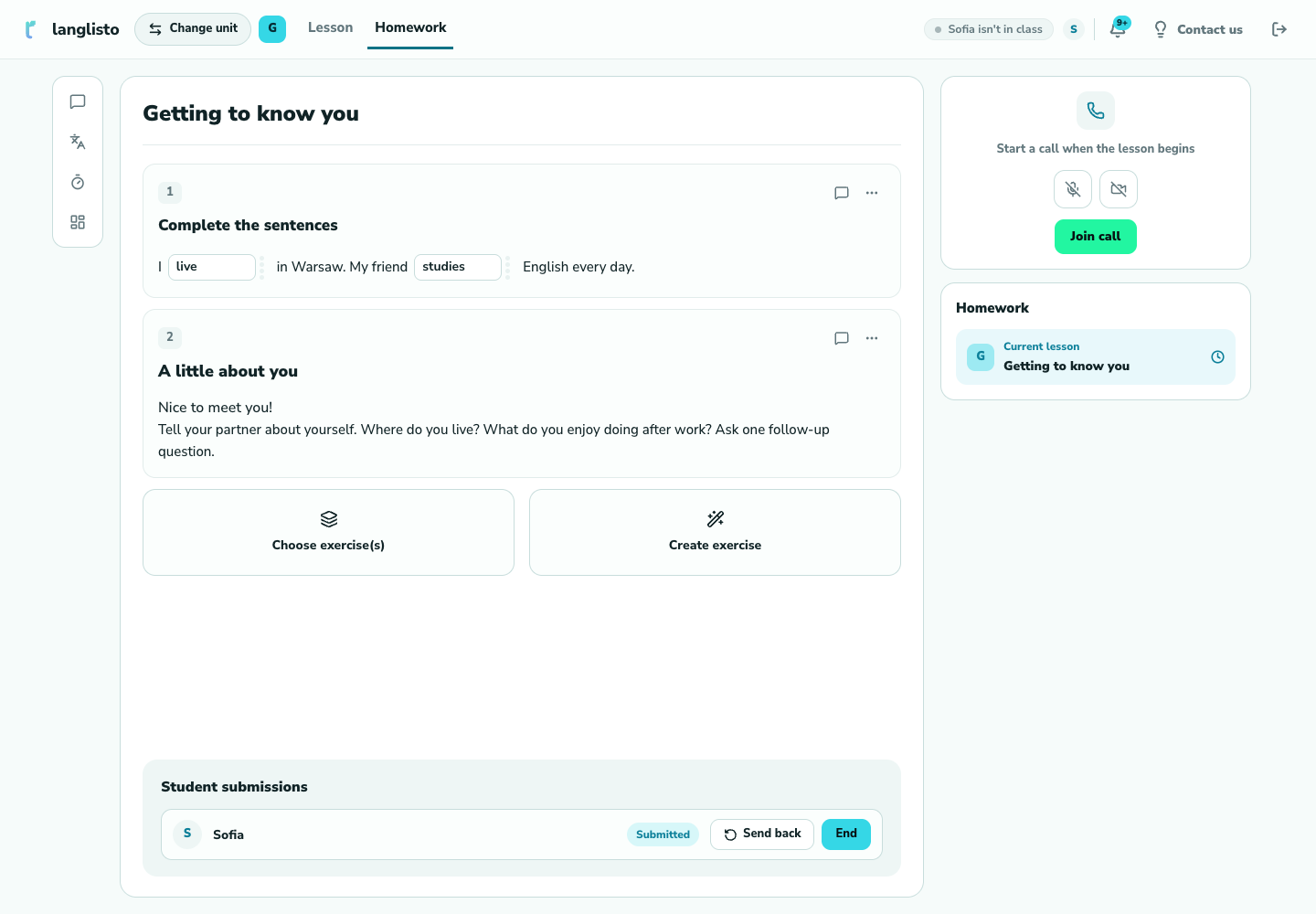
4. Review and respond
Good to know
Troubleshooting
There are no exercises to choose
Create exercises in the lesson or browse other materials.
The student cannot see the homework
Check the class and lesson, and confirm that exercises have actually been assigned in Homework.